How to assign learning to others
DevelopNow Portal > Team Development > “…”
DevelopNow Portal > Personal Development > “…”
Description
As a team leader, I want to be able to assign learnings to a other members of the company.
Applicable User Roles
List of roles that have access or can use this feature.
Team Leader
How To
How to assign learning to a team
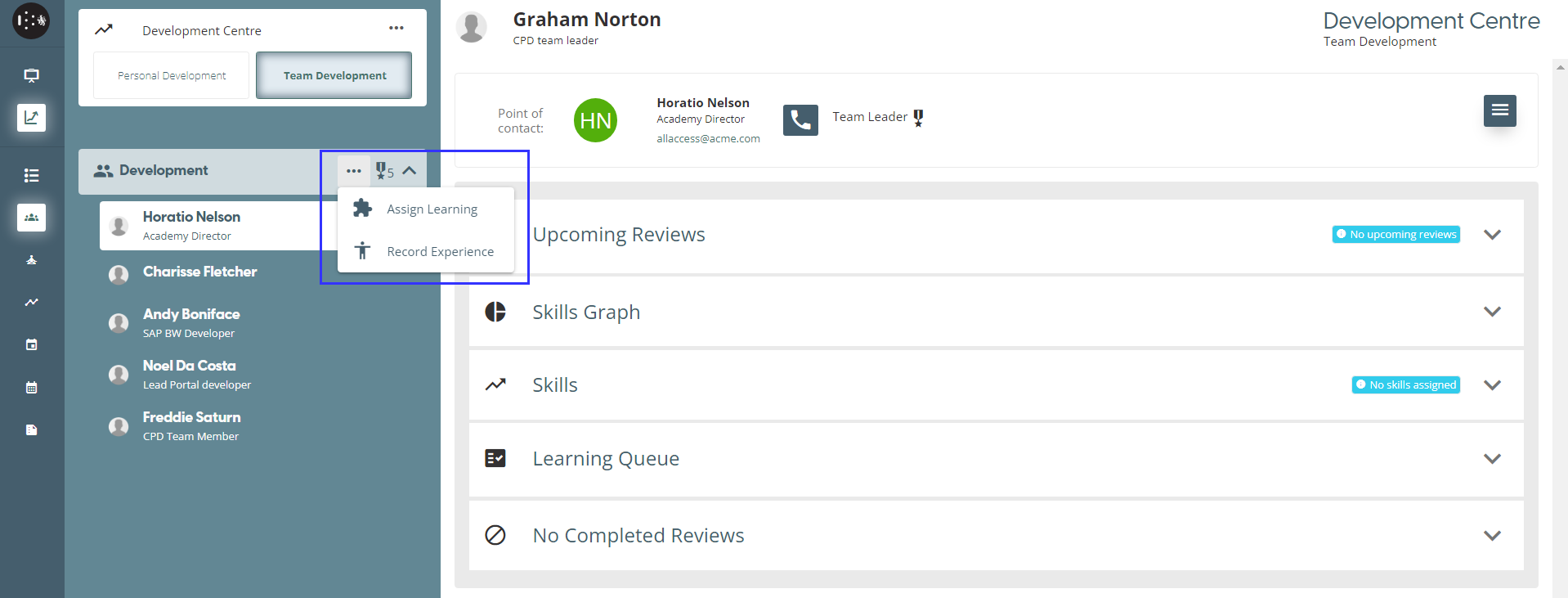
You can assign learning to all members of a team from the Team Development page. In the Navigation Menu you will be able to see a list of teams you have permission to assign learning to. To Assign Learning press the ellipses “…” button and press Assign Learning.
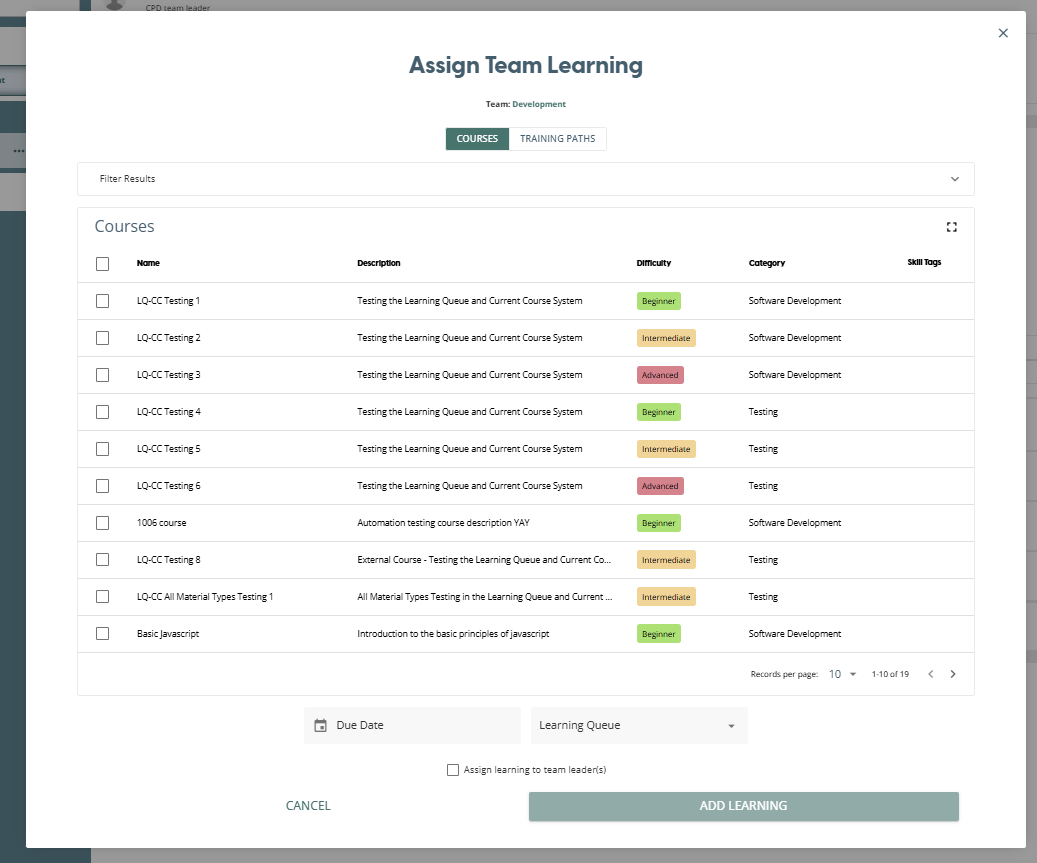
This will bring up the Assign Team Learning window, where you can select any combination of courses and training path to assign to all team members. You can filter the list of options by name, difficulty, category and skill tags within the Filter Results section.
Specific to this dialog, there is a checkbox to include Team Leaders when assigning the learning. By default, the learning is only assigned to the team members. If you wish to also assign the learning to Team Leaders, make sure you check this box before clicking Add Learning.
You must also select a Due Date and a Learning Queue before you can click the Add Learning button.
How to assign learning to an individual
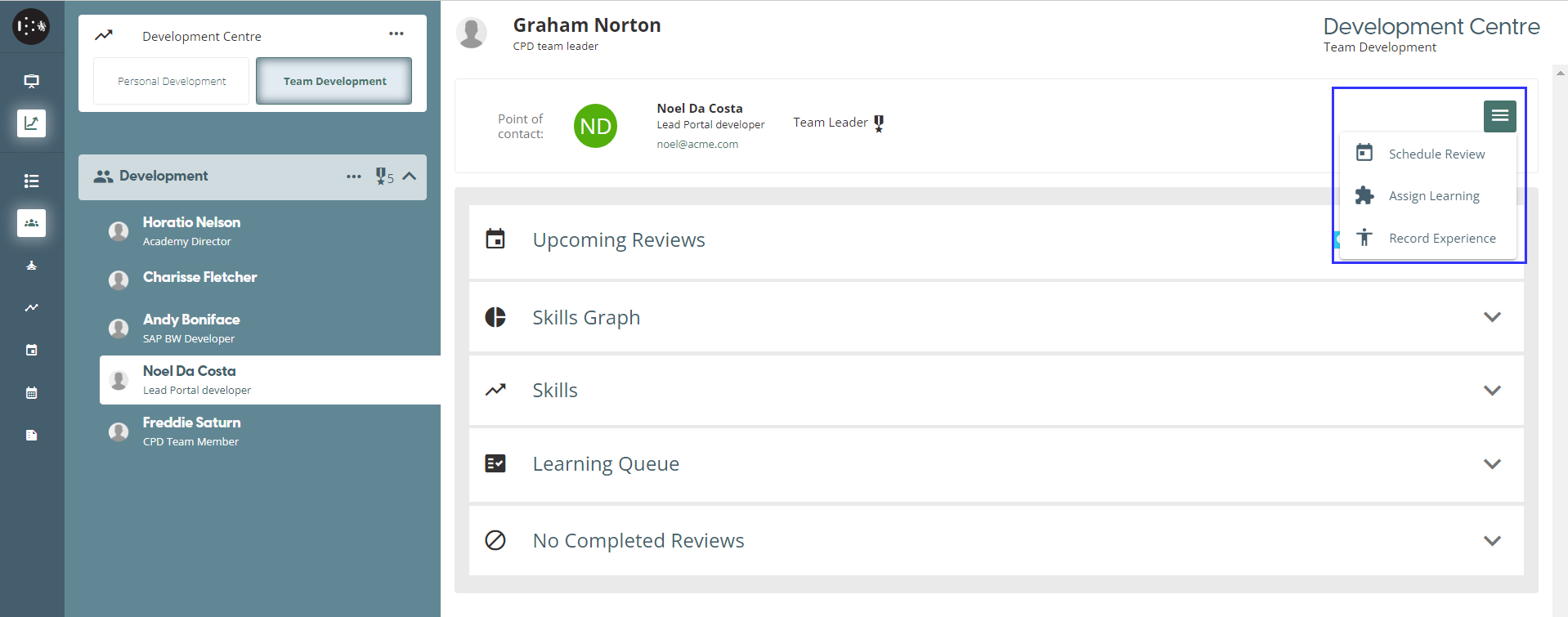
If you are within the Team Development view and have selected an individual, you will be able to assign learning to that user from this page. If you click on the burger menu in the top right of the page, there is an option to Assign Learning.
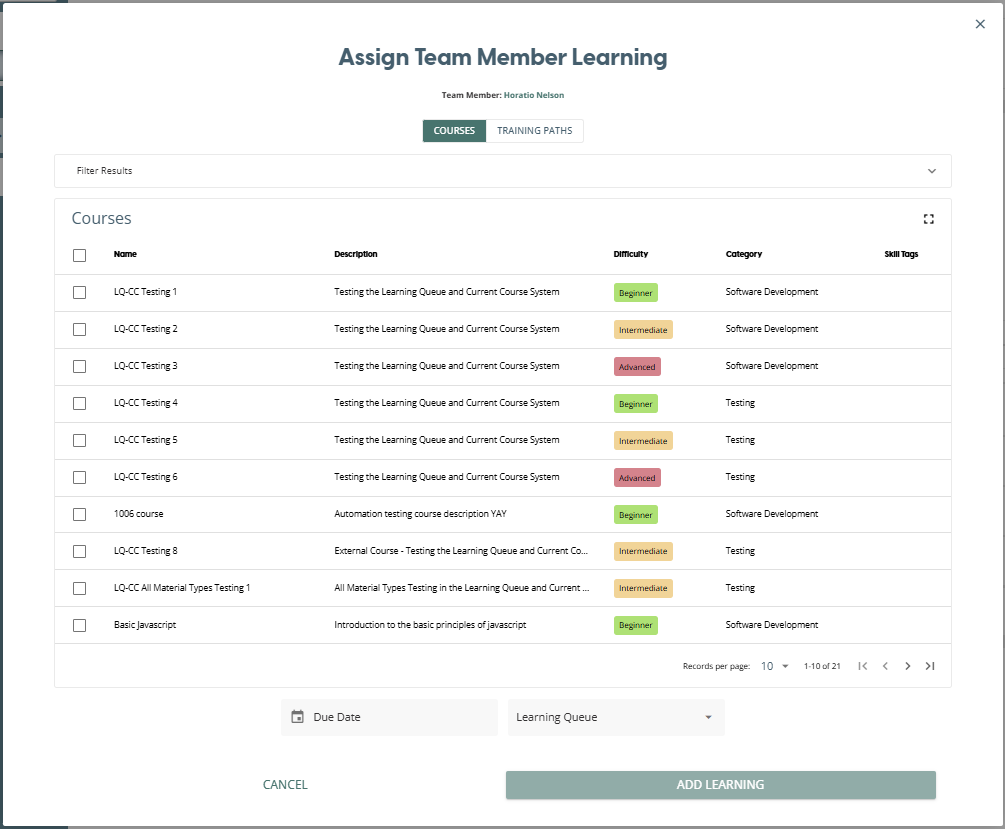
Clicking on this will bring up the “Assign Team Member Learning” window, where you can select any combination of courses and training path to assign to the individual team member. You can filter the list of options by name, difficulty, category and skill tags within the Filter Results section.
You must also select a Due Date and a Learning Queue before you can click the Add Learning button.