Subscription Management
Description
As a Knowledge Seeker, I am able to view all of my subscriptions so I can ensure that I have the right access to the right Learning Zones.
Applicable User Roles
List of roles that have access or can use this feature.
Knowledge Seeker
Where to find Subscription Management?
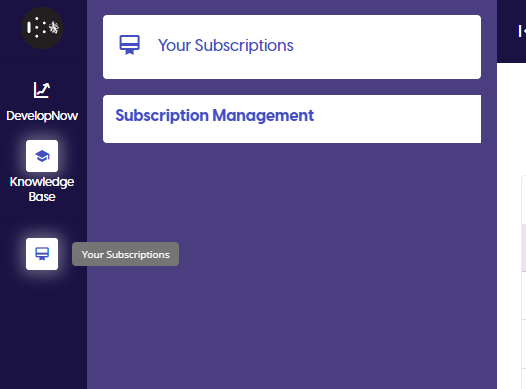
To access the Subscription Management page, click on the 'Your Subscriptions' icon in the Navigation Bar
What is Subscription Management?
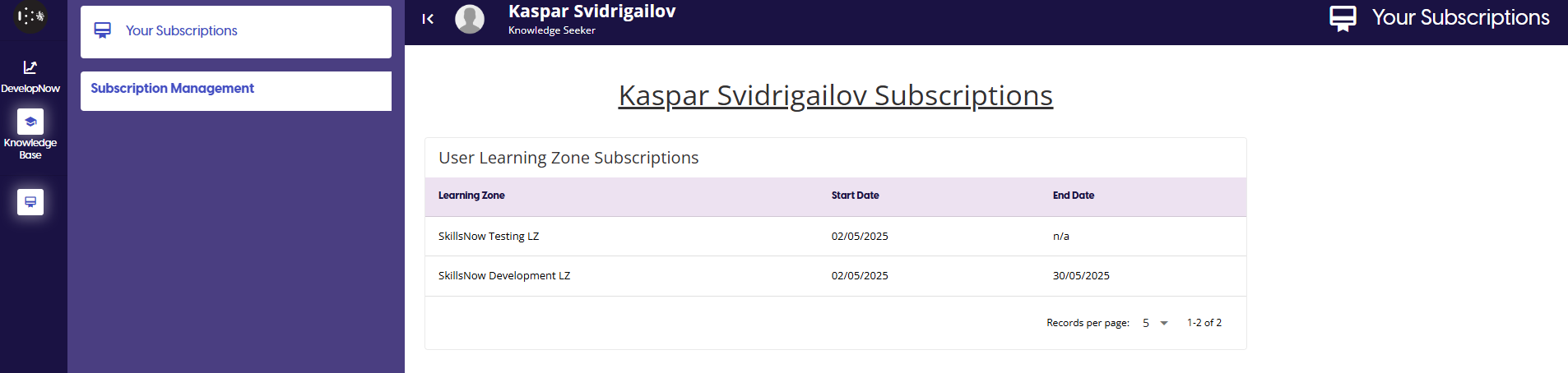
The Subscription management page allows you to view your current subscriptions to any Learning Zone.
How To
View my subscriptions
Once you are on your own Subscription Management page, you will be able to view all of your current subscriptions from the Subscriptions table. It will display the date the subscription started and ended, allowing you to verify that any access to a Learning Zone is correct.
If any of the information on the page is incorrect, contact your learning representative or contact us directly at support@skillsnow.com